Follow these steps to re-assign a report
1. Navigate to "Reports" (See below)
2. Click the Patient Icon for the report you want to re-assign

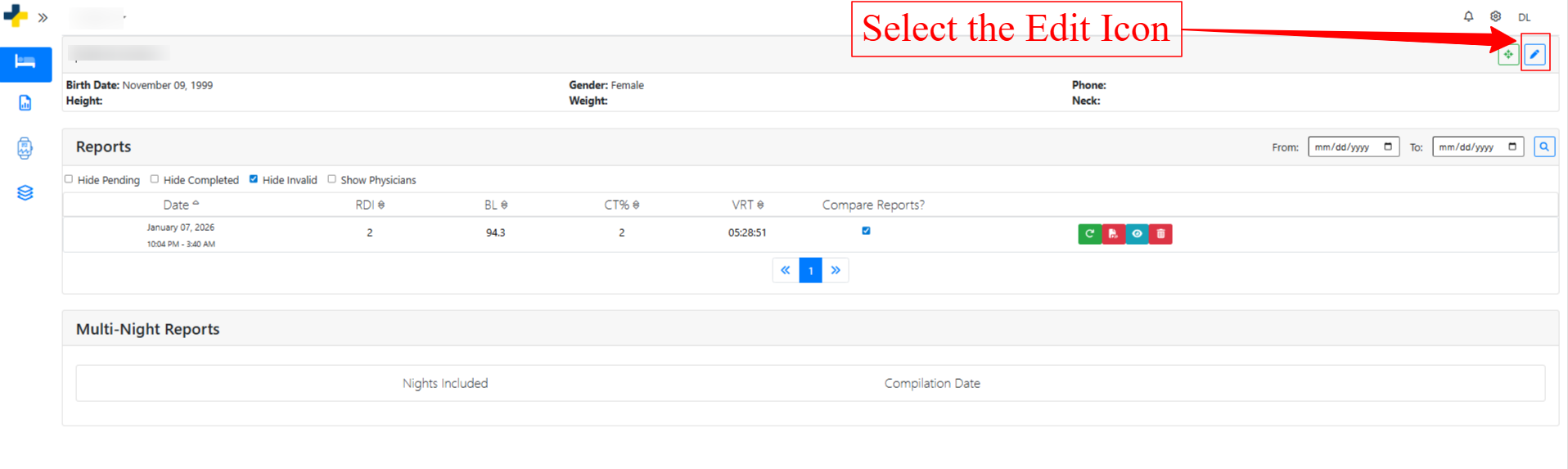
3. Select the "Edit" Icon
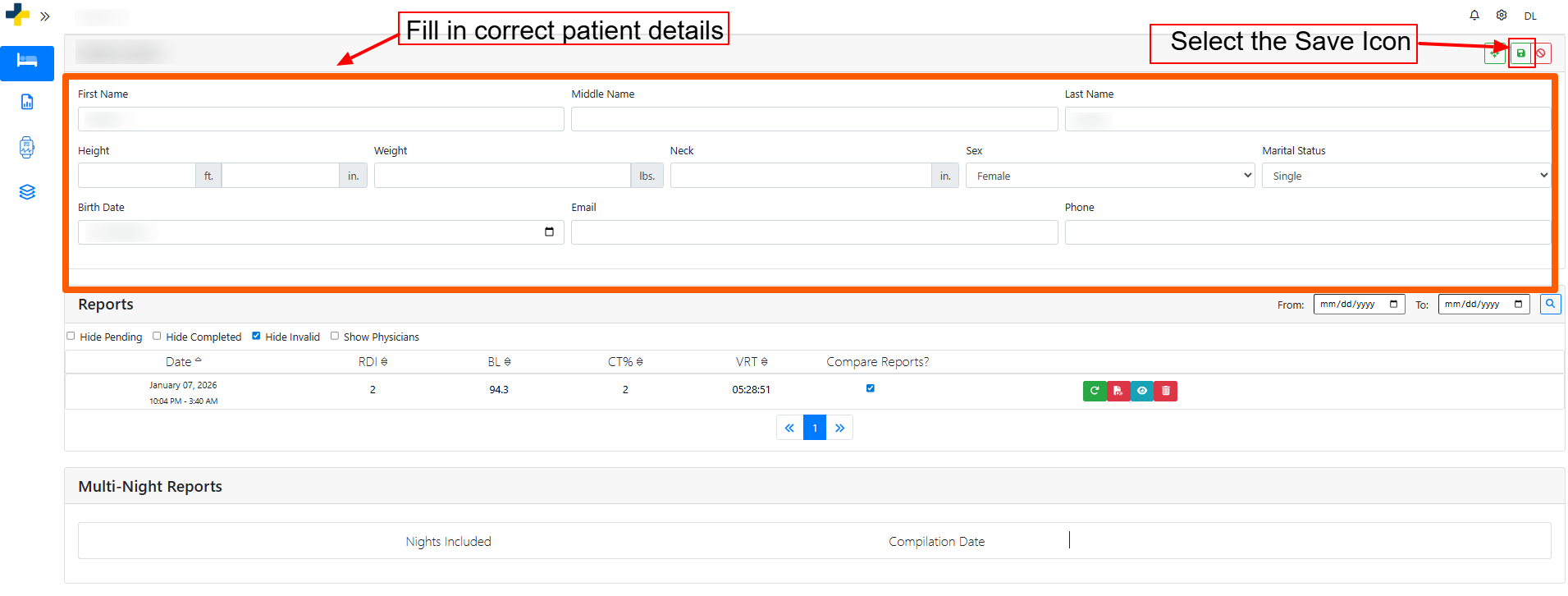
4. Fill in the correct patient details.
5. Select the "Save" icon.
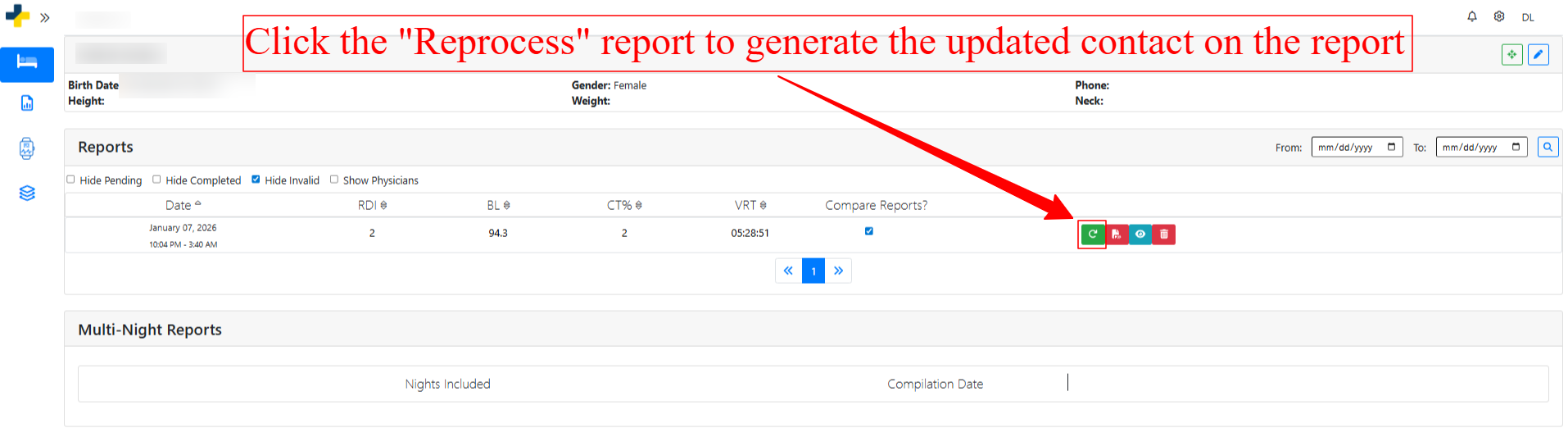
6. Click the "Regenerate Report" Icon to update the report with the new patient information.